AI-assisted co-pilot for Primavera P6
Build, update and review CPM schedules with confidence.
CPMPilot™ turns specifications into DCMA-checked baselines, applies monthly progress with out-of-sequence repair, and delivers review workbooks that reconcile with P6 line for line, with an assistant that answers from your own schedule data and can test and apply changes to it.
30-day free trial · no credit card · Founder price: 50% off through 31 December 2026
Self-hosted · P6 XER/XML and MS Project · Deterministic math, AI only where it adds judgment
Five functions · one workflow
Everything a project controls team does with a schedule each month, and the printouts that go with it.
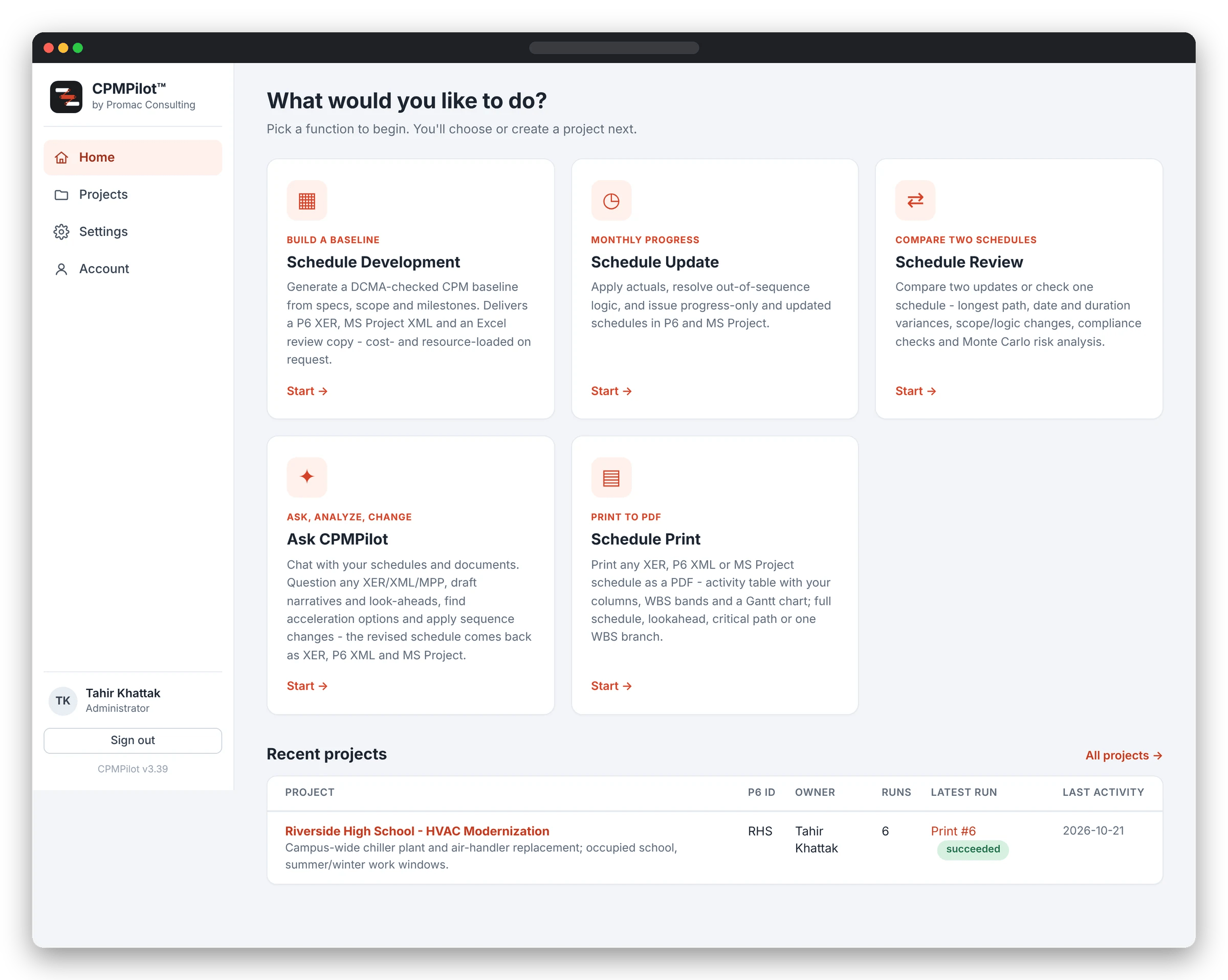

Schedule Development
Specifications, scopes and milestone lists become a logic-driven baseline delivered as importable P6 XER and MS Project XML, with a DCMA 14-point and owner-spec quality gate on every run.

Schedule Update
Apply monthly progress from the standard template or your own Excel. Out-of-sequence logic is detected and repaired; progress-only and updated schedules are issued per AACE practice.

Schedule Review
Compare two updates or check a single baseline: CPM status and earned value, compliance scored on P6’s own populations, open ends, longest path, and Monte Carlo risk analysis.

Ask CPMPilot
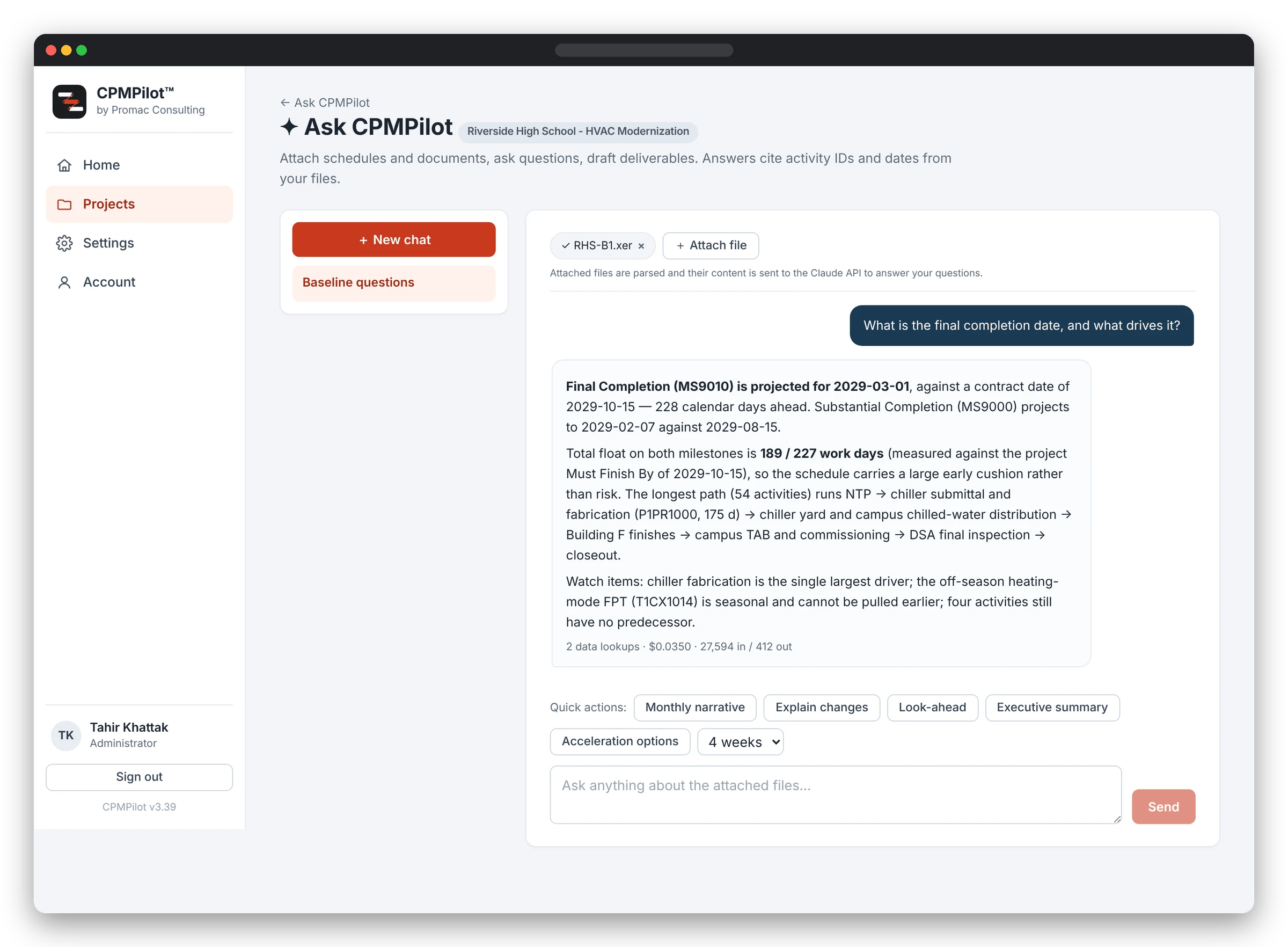
A chat assistant grounded in your parsed schedule. Ask what is driving the finish, draft this month’s narrative, or have it find acceleration options and apply sequence changes. Every answer cites real activity IDs and dates.

Schedule Print
Print any XER, P6 XML or MS Project schedule as a clean PDF: an activity table with your columns, grouped by WBS, beside a Gantt chart. Whole schedule, lookahead window, critical path, milestones or one WBS branch, on Letter, Tabloid, A4 or A3. No API cost.

Reconciles with P6
The same numbers your client sees in P6.
Every compliance check uses the population and threshold P6’s own Check Schedule report uses: incomplete activities, links not joining completed work, 44-day float and duration limits, resource assignment existence. Open ends match the P6 Schedule Log. When a reviewer lays the two side by side, they agree.
Ask CPMPilot
Ask your schedule a question, or tell it what to change.
Attach XER, XML or MPP files, spec PDFs, narrative templates or review workbooks. The assistant reads the parsed data through query tools, so it cannot invent an activity, a date or a count. It drafts narratives, look-aheads and executive summaries as Word documents, and when you tell it what to change it tests the change set, applies it and returns the revised schedule as XER, P6 XML and MS Project XML with a change register.
How it works
Three steps, no rework.
1 · Attach
Upload a P6 or MS Project file, or point CPMPilot at a project folder on your server. Large document sets are fine.
2 · Run
Choose Develop, Update or Review. Deterministic engines do the scheduling math; AI is used only where judgment is needed.
3 · Deliver
Download importable P6 and MS Project files, the branded review workbook, or a Word narrative, ready for your client.
14-point
DCMA assessment plus 18 compliance checks, scored on P6’s own populations
5,000
Monte Carlo iterations per schedule risk analysis
P6 + MSP
XER, PMXML, MPP and MS Project XML, in and out
100%
self-hosted, your files stay on your own systems
Founder pricing
50% off for everyone who starts by 31 December 2026.
Standard price is $99 per user per month ($1,000 per year). Start a subscription by 31 December 2026 and you pay $49 per user per month ($500 per year), and keep that rate for as long as you stay. Teams of 2 to 5: $44 per user per month ($450 per year).
Try it on your own schedules, free for 30 days.
Install CPMPilot on your PC or server, run it on real projects, and keep every file on your own systems. No credit card. When you are ready, continue at the founder price.